
Your catalog in ChatGPT Ads, kept accurate
Send your Shopify products to ChatGPT Ads and keep them current. See which products were accepted and how to fix the rest.
Free plan available. Paid plans include a 7-day free trial.
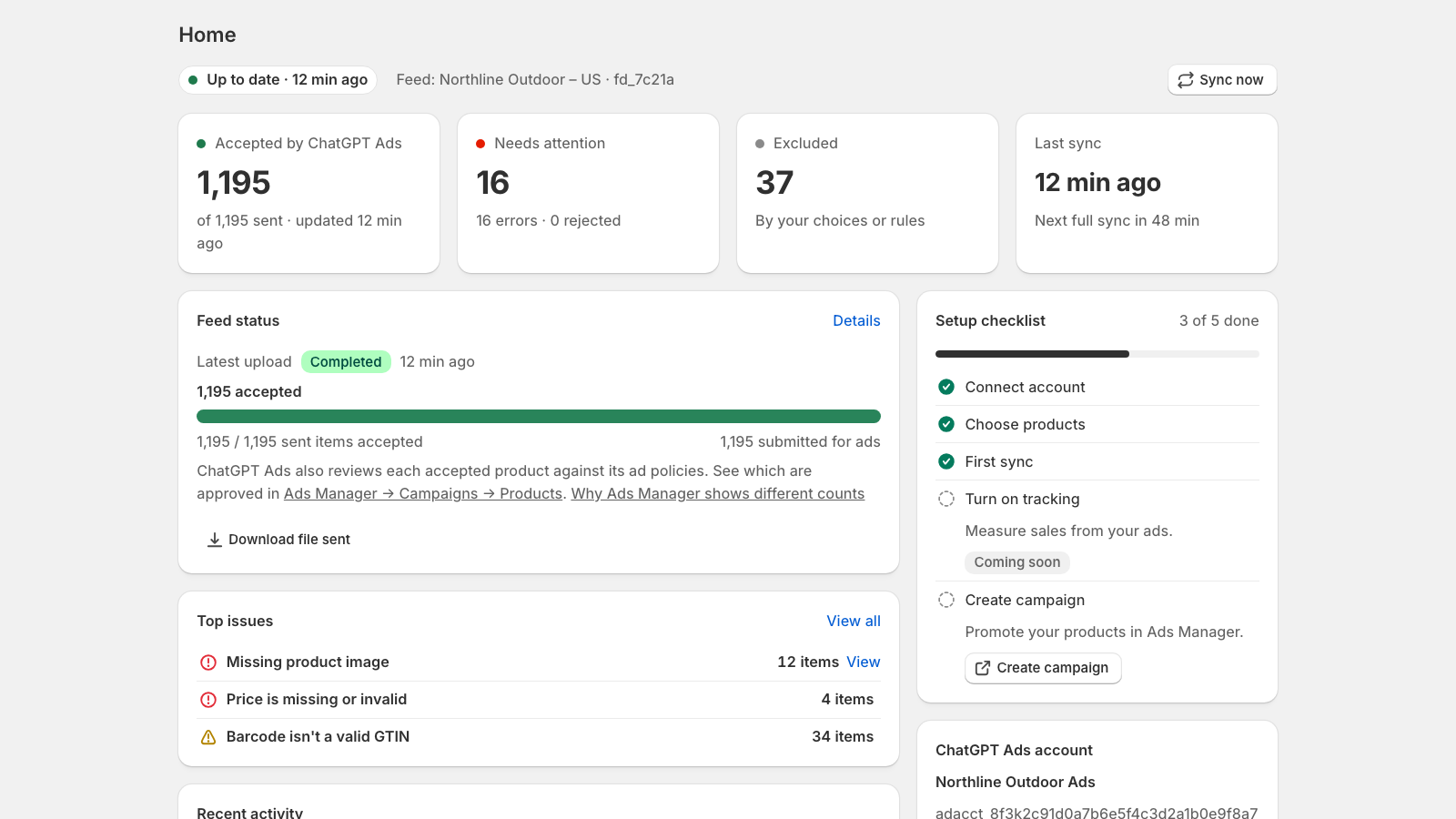
Set up in three steps
ChatGPT Ads needs a product feed in a strict format. The app builds it from your Shopify catalog and sends it for you.
Connect your ad account
Paste the API key from ChatGPT Ads Manager. The app checks it and shows which ad account it belongs to.
Choose your products
Send your whole catalog or pick collections. Gift cards, drafts and products that aren't on your online store are left out for you.
Review and send
See every issue before anything is sent, then launch. After each upload you see what ChatGPT Ads accepted.
Know what's in your feed, and why
Every product gets a clear status, and every problem comes with steps to fix it.
Checks before sending
Every product is checked against the ChatGPT Ads feed rules before anything is sent, so problems don't surface after an upload fails.
Upload results you can read
See which products ChatGPT Ads accepted or rejected after every upload, right next to your catalog.
Step-by-step fixes
Issues are grouped by type, with the affected products and what to change in Shopify.
You decide what's sent
Exclude or include any product or variant at any time. The next sync follows your choice.
Current prices and stock
Paid plans resend your catalog every hour. Every sync is recorded, with the file that was sent.
Export to CSV
Download your product list or feed issues as a spreadsheet to share with your team.
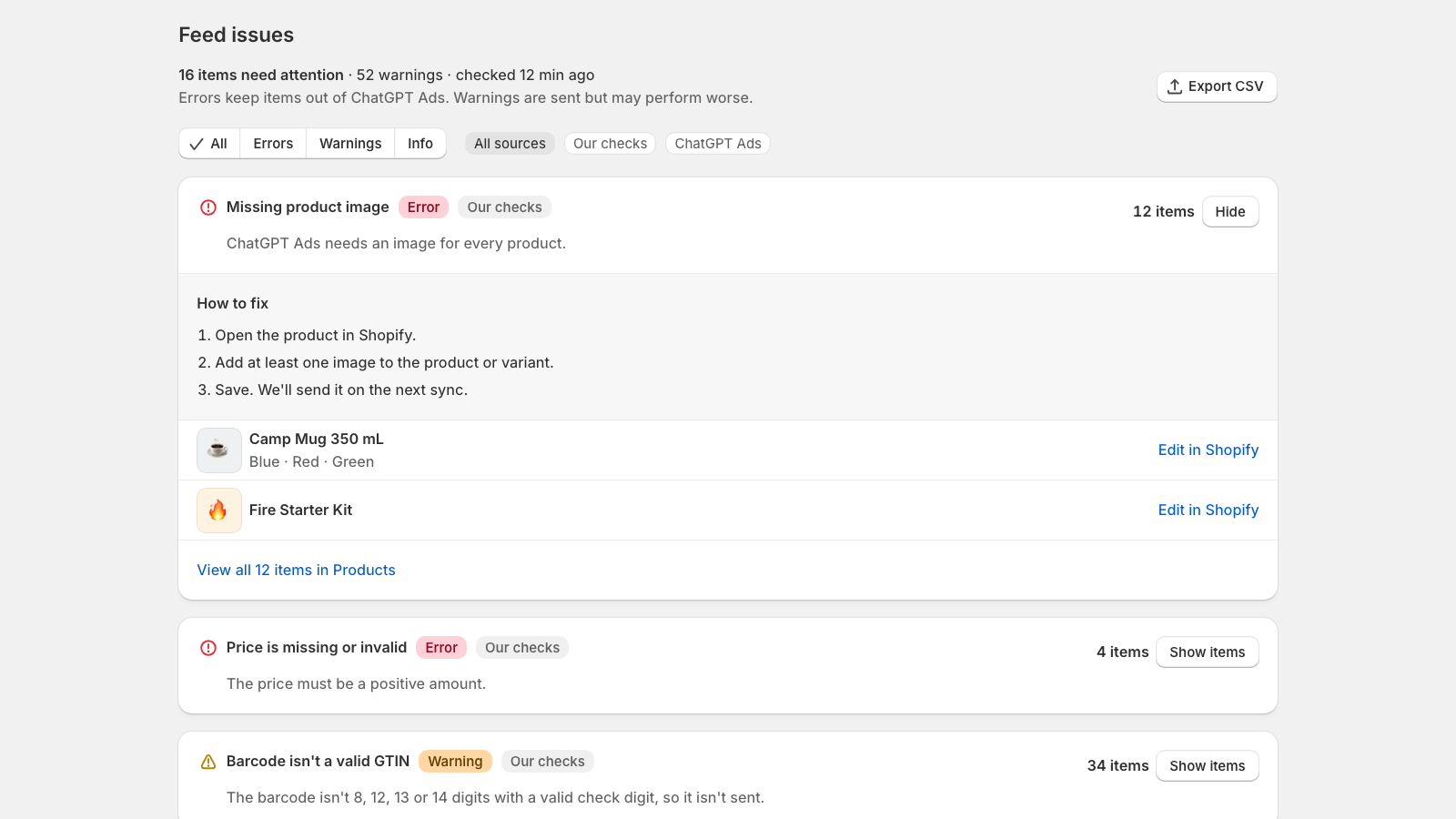
Fix issues without guessing
Missing images, invalid prices, barcodes that aren't valid GTINs: each issue shows how many products it affects and what to do about it.
Errors keep a product out of the feed. Warnings are sent, but may perform worse.
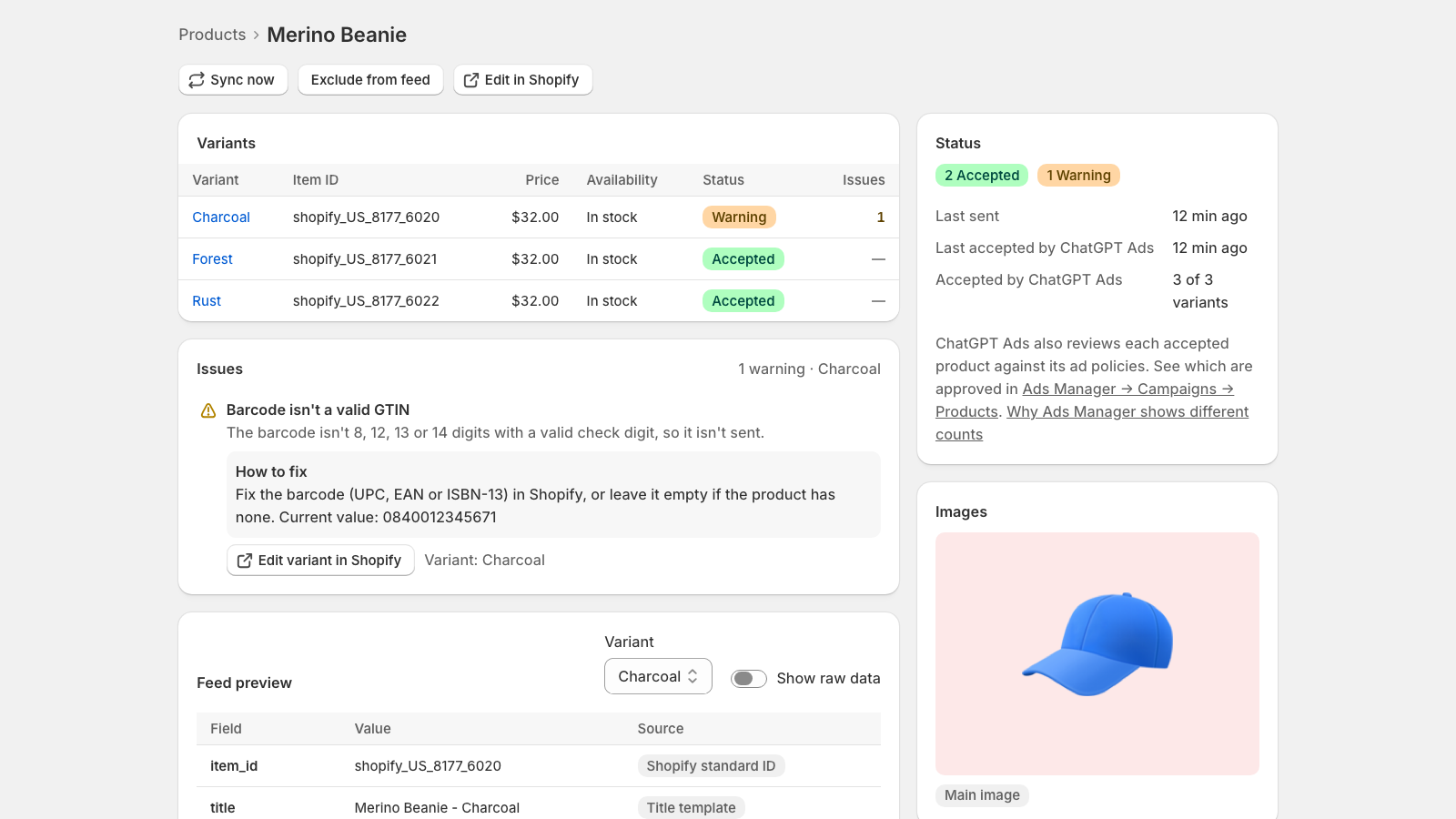
See each product the way ChatGPT Ads gets it
Open any product to see each variant's status, its issues and a preview of the feed data, with where every value comes from.
Exclude it from the feed or jump to Shopify to fix it in one click.
Simple pricing
Billed through Shopify. Change or cancel your plan at any time.
Free
- Up to 500 product variants
- Sync on demand
- Feed checks with steps to fix
- Sync history and CSV export
Pro
- Up to 5,000 product variants
- Full sync every hour
- Everything in Free
- Feed rules and custom labels (coming soon)
Scale
- Unlimited product variants
- Full sync every hour
- Everything in Pro
- Live price and stock updates (coming soon)
Prices in USD. Your ChatGPT Ads spend is billed separately by OpenAI.
Questions
Do I need a ChatGPT Ads account?
Yes. You need an advertiser account in ChatGPT Ads Manager and an API key from its settings. The app sends your products to that account.
Does "accepted" mean my products will show in ads?
Not on its own. After accepting a product, ChatGPT Ads also reviews it against its ad policies, and only approved products can serve. You can see the approval status in Ads Manager. The app shows what was accepted and warns you about products that may be restricted.
Which countries are supported?
Feeds are built for the United States today. More markets are planned as ChatGPT Ads expands.
Will the app change my Shopify products?
No. The app only reads your products, inventory and store policies. Fixes are made by you in Shopify, and the next sync picks them up.
Does the app create campaigns or spend my budget?
No. You create and manage campaigns in ChatGPT Ads Manager. The app never spends money on your behalf.
What happens to my data if I uninstall?
Billing stops right away, and your store's data is deleted when Shopify sends its data removal request, 48 hours after uninstall. See the privacy policy for details.
Get your products into ChatGPT Ads
Install the app, connect your ad account and send your first feed in minutes.
Install on the Shopify App Store